Samarth WB Gov In 2026 Portal: West Bengal Status Check Online and Offline
Check your West Bengal pension application and beneficiary status online — or get help offline. Simple, complete guide.
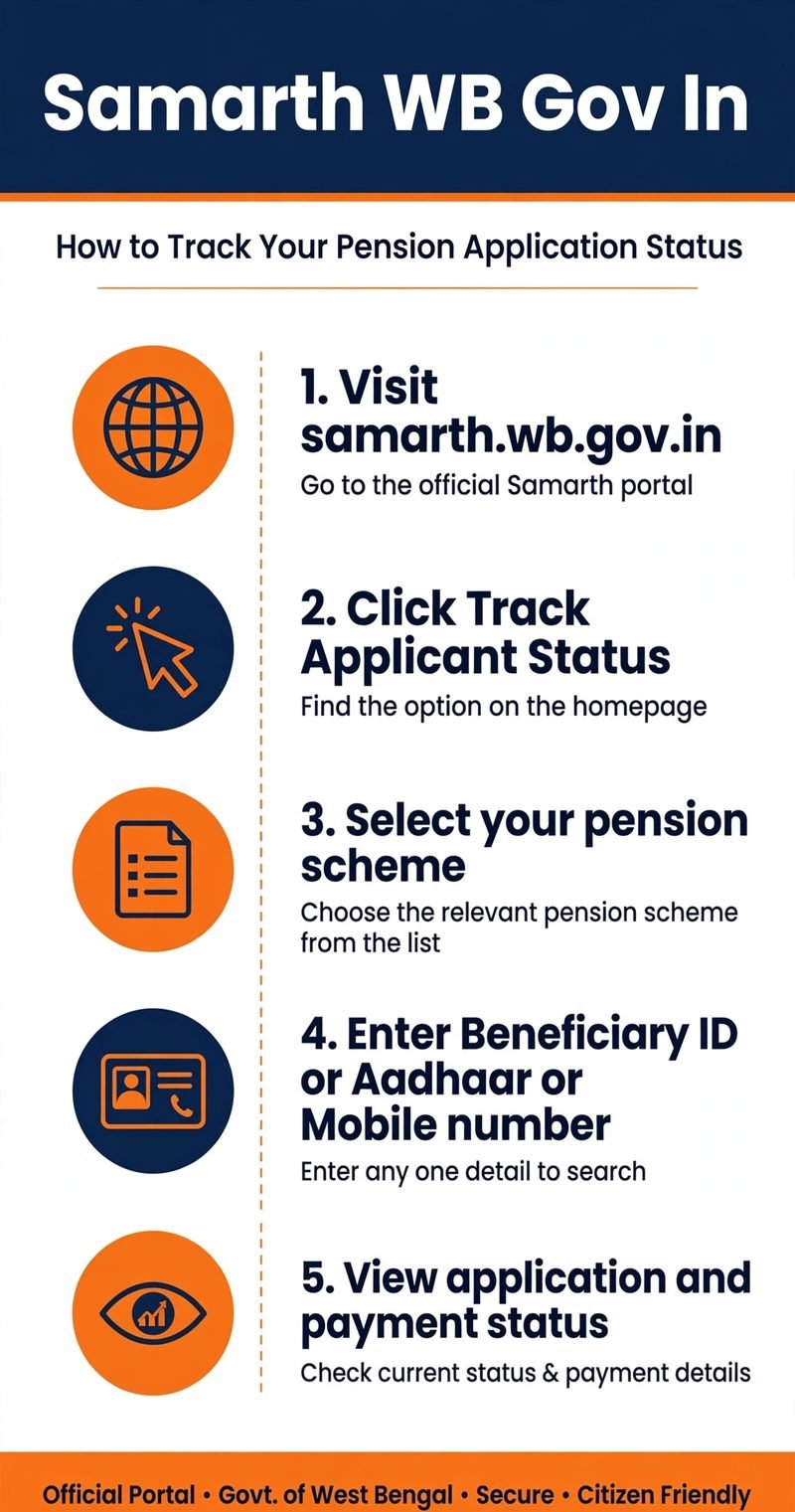
Check Status Online
Track your pension application in 5 easy steps. Open the guide →
Check Your Eligibility
Answer 5 quick questions to see which schemes fit you. Try the tool →
Get Offline Help
No internet? Visit BSK, BDO or SDO office. See options →
Pension Eligibility Checker
Not sure which pension you can get? Use our free tool — answer 5 quick questions and find out which West Bengal pension schemes match you.
Find Which Pension You May Qualify For
Answer 5 quick questions. The tool will tell you which West Bengal pension schemes match your situation.
Note: This is a guidance tool only. It does not approve pensions. Final eligibility is decided by the government office after document verification.
If your West Bengal pension payment has not arrived or your application is still pending, the Samarth WB Gov In 2026 portal can help you check your application and beneficiary status online. The platform brings several social security pension schemes under one system, allowing beneficiaries to track available records without creating a separate account.
The official website is samarth.wb.gov.in. You can use its public tracking facility to search for your pension details through your Beneficiary ID, Aadhaar number, or registered mobile number. If you cannot access the website, you can seek assistance from a Bangla Sahayata Kendra (BSK) or the relevant government office.
What Is the Samarth WB Gov In Portal?
The Samarth portal is a West Bengal government platform used to manage social security pension records, beneficiary information, and payment tracking. It operates under the supervision of the state’s Finance Department, with technical development and maintenance by the National Informatics Centre (NIC).
The portal brings several welfare schemes together under the One Umbrella Scheme. It also connects with the West Bengal Integrated Financial Management System (WBIFMS) and its e-Pradan payment system to support the processing of approved pension payments.
Beneficiaries can use the public tracking page to check available application details and payment records. However, the information displayed depends on the record entered into the system and the services currently available on the official website.
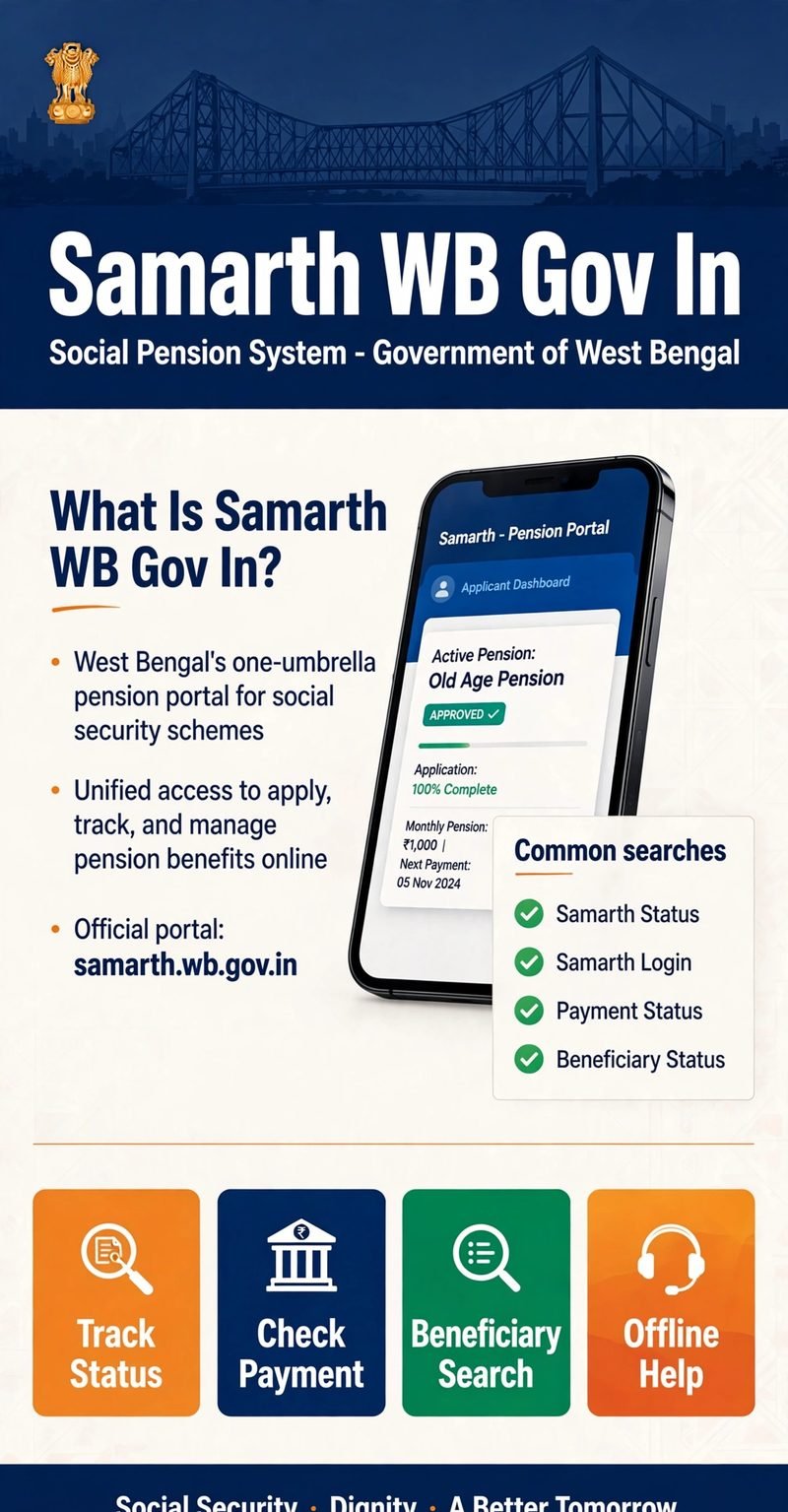
Samarth Portal West Bengal: Important Details
| Detail | Information |
| Portal name | Samarth Portal |
| State | West Bengal |
| Official website | https://samarth.wb.gov.in/ |
| Status tracking page | Track Applicant Status |
| Main purpose | Pension and beneficiary status tracking |
| Search methods | Beneficiary ID, Aadhaar number, registered mobile number |
| Public login required | No |
| Offline assistance | BSK, BDO, SDO and relevant municipal offices |
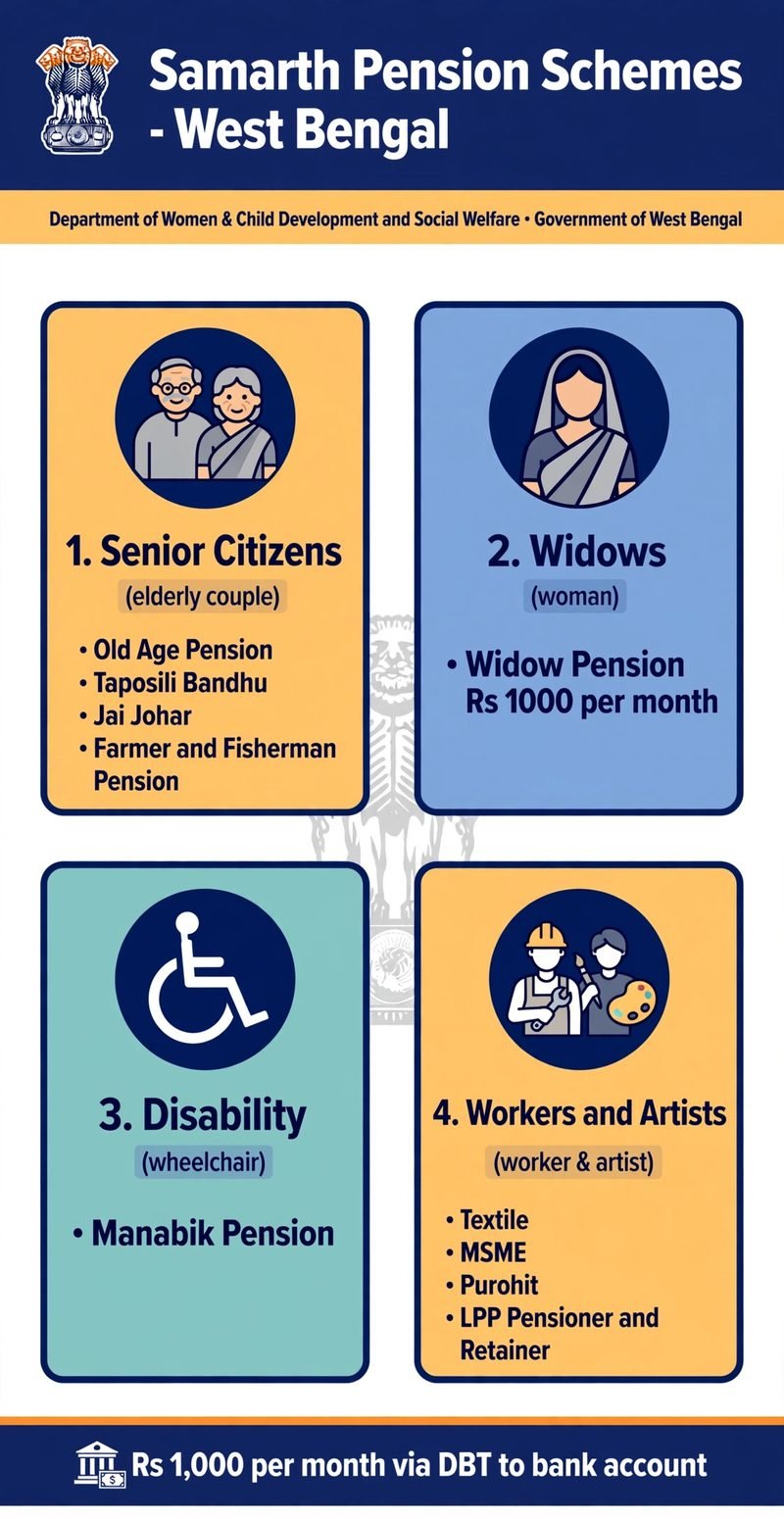
Which Pension Schemes Are Covered by Samarth?
The Samarth portal covers several social security and welfare pension schemes for eligible residents of West Bengal. The available schemes include support for senior citizens, widows, persons with disabilities, and certain occupational and community groups.
For Senior Citizens
WCD Old Age Pension, Taposili Bandhu (SC 60+), Jai Johar (ST 60+), Farmer & Fisherman Old Age Pension.
For Widows
WCD Widow Pension — Rs 1,000/month for widowed women aged 18 and above.
For Persons with Disabilities
WCD Manabik Pension — Rs 1,000/month with a valid disability certificate.
For Workers & Artists
Textile Pension, MSME Pension, Purohit Welfare Scheme, LPP Pensioner & Retainer.
The standard pension amount across these schemes is Rs 1,000 per month. Beneficiaries should confirm the applicable amount and their eligibility through official government sources.
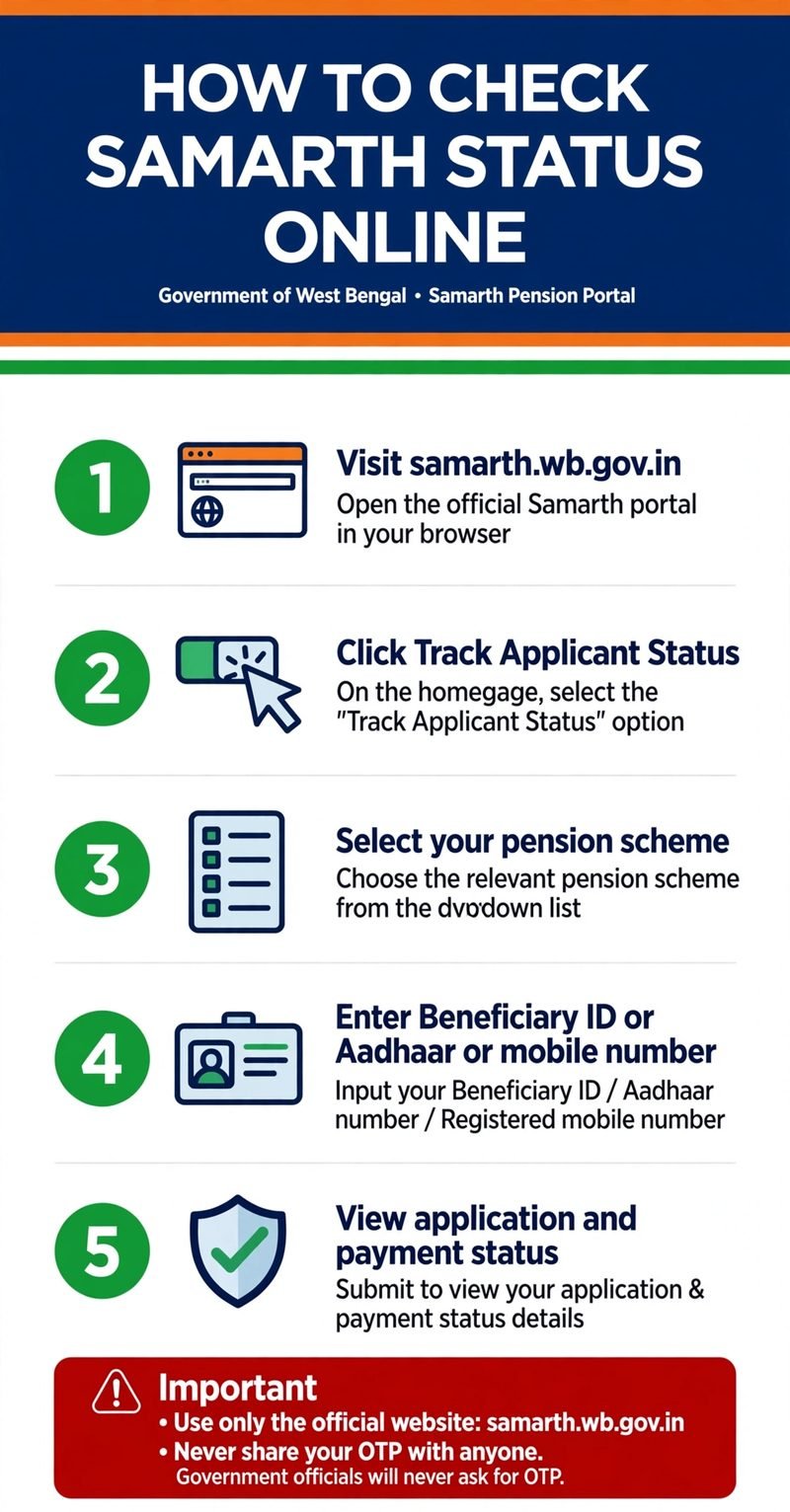
How to Check Samarth WB Gov In Status Online in 2026
The online Samarth status check is useful for applicants waiting for approval and beneficiaries checking pension payments. You do not need to create a separate account to access the public tracking facility.
Step 1: Open the Official Website
Visit https://samarth.wb.gov.in/ using your mobile phone or computer. Make sure the website address is correct before entering personal information.
Step 2: Open the Status Tracking Page
Go to the Samarth Applicant Status page. This is the public tracking page for checking application records.
Step 3: Select Your Pension Scheme
Choose the pension scheme associated with your application from the options available on the website. Selecting the correct scheme can help you find the relevant record.
Step 4: Enter Your Identification Details
Use one of the search options available on the portal:
- Beneficiary ID assigned to your record
- Aadhaar number
- Mobile number registered with your application
Enter the requested details carefully. If the page displays a CAPTCHA, type the characters shown on the screen.
Step 5: View Your Application or Payment Status
Submit the search request and review the information displayed. Depending on the available record, you may be able to see your application progress, approval status, and payment transactions.
If you cannot find your record, check that you selected the correct scheme and entered the details accurately before trying again.
How to Check Samarth Pension Status Offline
People who do not have a smartphone, a reliable internet connection, or experience using online services can seek assistance through designated government facilities.
Visit a Bangla Sahayata Kendra (BSK)
A Bangla Sahayata Kendra can help residents access government services. Visit a nearby centre and explain that you need to check your Samarth pension or application status. Carry your Beneficiary ID or other relevant details so the record can be searched.
Contact Your Local BDO or SDO Office
If your application is missing, delayed, or showing an unclear status, contact the appropriate Block Development Office (BDO) or Sub-Divisional Officer (SDO) office. Municipal residents can approach the relevant municipal office.
Take your application acknowledgement receipt and relevant documents when visiting. These can help officials identify your application and explain whether further verification or action is required.
Seek Help at Government Camps
Duare Sarkar and Seva Setu camps may also provide assistance with relevant government services when available. Check whether a suitable camp is operating in your area before travelling.
What Do Different Samarth Application and Payment Statuses Mean?
The status displayed on the portal can help you understand what is happening with your application or pension payment.
| Status | Meaning and next step |
|---|---|
| Submitted / Under Process | The application is being reviewed. Check again for updates. |
| Verified (Approval Pending) | Verification is complete, but approval is still pending. Contact the relevant office if needed. |
| Approved | The application has been approved. Check the payment record for disbursement details. |
| Under Enquiry | Further verification may be required. Contact the responsible office. |
| Rejected | Ask the relevant office for the reason and available correction or appeal options. |
| Payment Pending | The payment has not completed processing. Check again or seek an update from the responsible office. |
| Payment Success | The transaction is marked successful. Verify whether the money has reached your bank account. |
| Payment Failed | The transfer was unsuccessful. Check your bank details and Aadhaar-linking status with your bank. |
A status message does not always explain the complete reason for a delay. If the displayed information is unclear, the relevant BDO, SDO, municipal office, or bank may be able to clarify the next step.
Why Is My Samarth WB Gov In Status Not Updating?
The Portal Shows “No Record Found”
A submitted application may not appear immediately if its details have not yet been entered into the digital database. First, check your identification details and selected scheme. If the record is still missing, visit the relevant office with your acknowledgement receipt and ask whether your application has been entered into the system.
Application Status Is Stuck on Approval Pending
A verified application may still require administrative approval or quota clearance. This does not necessarily mean your application has been rejected. Contact the responsible office to confirm the current position and whether any further action is needed.
Samarth Payment Status Shows Failed
Payment problems may be linked to an inactive bank account, incomplete KYC, Aadhaar-linking issues, or differences between your bank and identification records. To address the problem:
- Contact your bank and check whether your account is active.
- Confirm that your KYC details are complete.
- Ask the bank to check Aadhaar seeding and the applicable payment-linking arrangements.
- Contact the relevant pension office if the payment continues to fail.
CAPTCHA or Website Is Not Working
Refresh the CAPTCHA or try opening the website in another browser. If the tracking page continues to cause problems, visit a BSK for assistance.
What Information Do You Need to Check Pension Status?
For an online search, you generally need one of the identifiers accepted by the public tracking page. You do not need to create an administrative account for ordinary beneficiary tracking. Keep the following available when needed:
- Beneficiary ID, if assigned
- Aadhaar number or registered mobile number, depending on the search option
- Application acknowledgement receipt for follow-up visits
- Bank passbook and relevant identification documents when investigating a payment issue
You should not share your Aadhaar details or other personal information on unofficial websites.
Is Samarth WB Gov In Login Required for Beneficiaries?
No separate login is required for public status tracking. Beneficiaries can use the public tracking page to search for their records. The administrative login is intended for authorized officials and designated operators who perform government work. Ordinary pension applicants should not need an official operator’s username or password to check their own status.
Always use the official government website and avoid entering personal details into websites that imitate the Samarth portal.
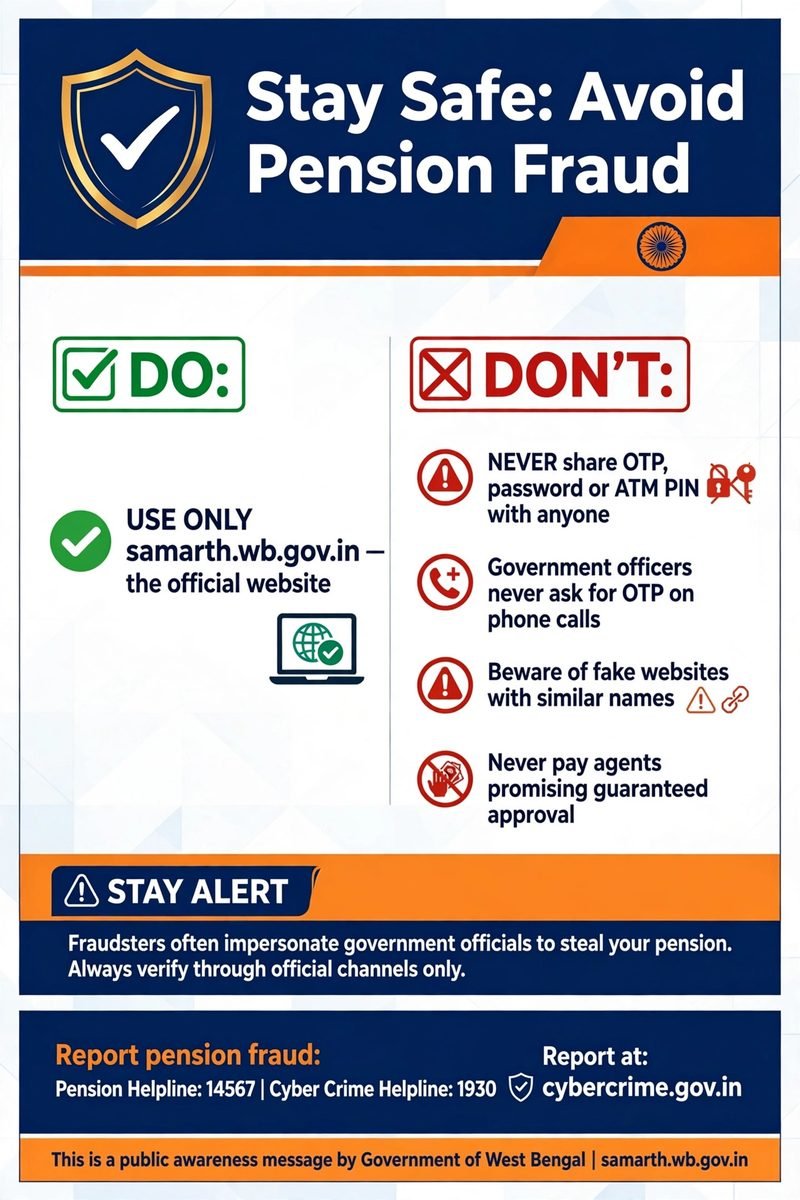
How to Stay Safe While Checking Samarth Status Online
- Use the official website: samarth.wb.gov.in.
- Check the domain carefully before entering personal information.
- Never share an OTP, password, ATM PIN, or internet banking password with an unknown person.
- Avoid websites or agents promising guaranteed approval in exchange for money.
- Do not assume a website is official just because its name includes “Samarth.”
If a website asks for unnecessary banking credentials or promises faster pension payments for a fee, stop and verify the service through official government channels.
Frequently Asked Questions About Samarth WB Gov In 2026
1. What is the official website of Samarth WB Gov In?
The official West Bengal Samarth portal is https://samarth.wb.gov.in/.
2. How can I check Samarth pension status online?
Open the public status tracking page, select your scheme, enter an available identifier, complete the CAPTCHA if required, and submit the search.
3. Can I check Samarth beneficiary status without logging in?
Yes. The public tracking facility does not require a separate beneficiary login.
4. How can I check Samarth status offline?
Visit a nearby Bangla Sahayata Kendra, the relevant BDO or SDO office, or your municipal office for assistance.
5. Why does the portal show “No Record Found”?
Your details may have been entered incorrectly, the wrong scheme may have been selected, or your application may not yet have been entered into the database. Confirm the record with the responsible office if the problem continues.
6. What does “Verified (Approval Pending)” mean?
It indicates that verification has been completed but approval remains pending. Contact the relevant office to understand the next step.
7. What should I do if my pension payment fails?
Ask your bank to check your account status, KYC, and Aadhaar-linking details. If the issue remains unresolved, contact the relevant pension office.
8. Can I check a family member’s pension status?
You may be able to search using the relevant beneficiary’s details and the options available on the public portal. Handle their personal information carefully and obtain their permission where appropriate.
9. Where can I get help without internet access?
Visit a nearby Bangla Sahayata Kendra or contact the appropriate government office.
10. Is the Samarth pension portal the same as the SAMARTH Panchayat Portal?
No. The West Bengal Samarth portal described in this guide is used for social pension and beneficiary services. The SAMARTH Panchayat Portal focuses on Panchayat revenue-related services.
Conclusion
The Samarth WB Gov In 2026 portal provides West Bengal residents with a way to check available pension application and payment records online. Beneficiaries can use the public tracking page with an accepted identifier or seek offline help from a BSK, BDO, SDO, or relevant municipal office.
If your record is missing, approval is delayed, or payment has failed, check the displayed status and contact the appropriate authority for clarification. Always use the official Samarth portal and verify important details before taking action.
Disclaimer: This article is an independent informational guide and is not affiliated with the Government of West Bengal or the National Informatics Centre. Portal features, scheme details, and payment information should be confirmed through official government sources. Last updated: October 2026.